
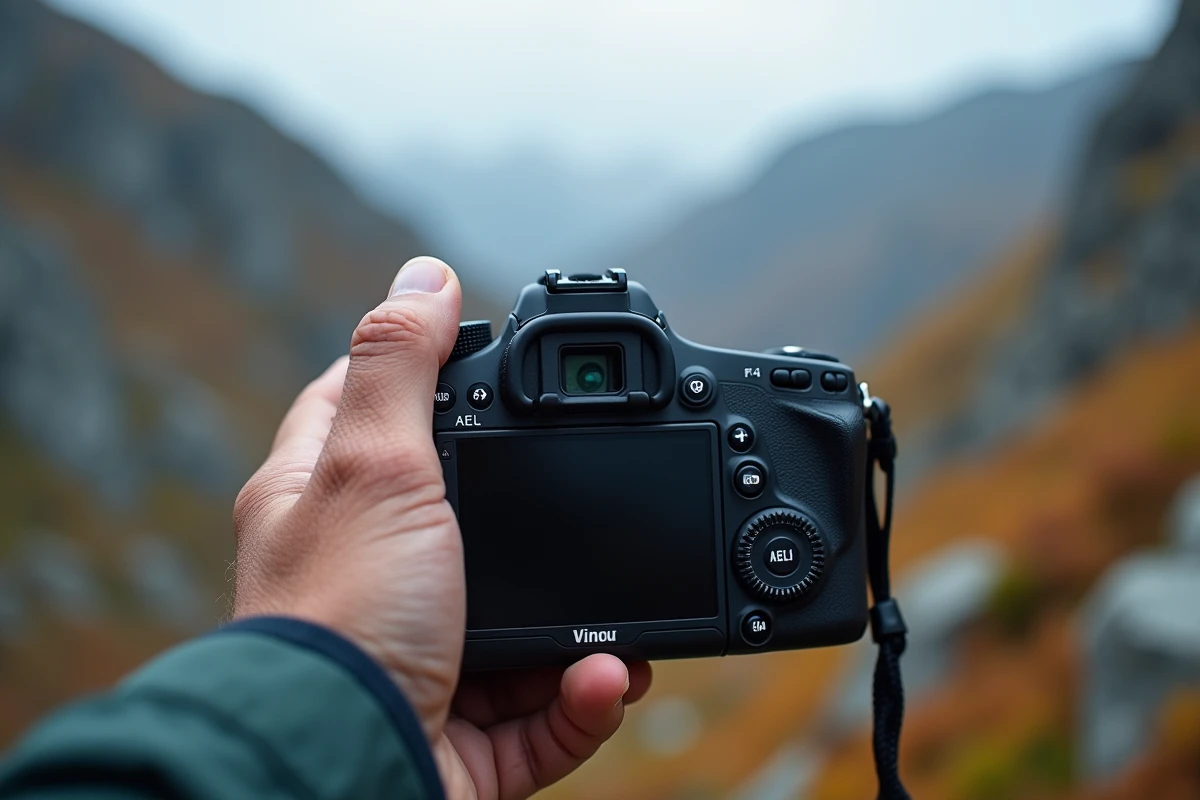
AF, MF, AEL: three inscriptions engraved on most camera bodies, three functions that many photographers use without really distinguishing them. Understanding what each controls, and especially how they interact, allows you to take back control over focus and exposure in situations where fully automatic mode reaches its limits.
AF, MF, and AEL: what each function controls on your camera
| Function | What it manages | Typical activation | When to use it |
|---|---|---|---|
| AF (Autofocus) | Automatic focus | Half-press shutter or AF-ON button | Moving subjects, fast scenes, reportage |
| MF (Manual Focus) | Manual focus via the lens ring | AF/MF switch on the lens or body | Night photography, macro, creative focus, video |
| AEL (Auto Exposure Lock) | Locking the measured exposure | Dedicated AEL button or customizable button | Recomposing after spot metering, backlighting, high contrast scenes |
The frequent confusion arises from the fact that AF and MF relate to sharpness, while AEL relates to light. On many camera bodies, these three functions share the same lever or button, reinforcing the impression that they are linked. In practice, AEL is independent of focus: you can lock the exposure while keeping autofocus active, or vice versa.
Related reading : How to Find the Ideal Property in Your Area: Tips and Tricks
A comprehensive guide on the differences between AF, MF, and AEL details the configurations specific to each brand and camera range.
Custom AEL: a dynamic management tool, not just a lock
Many tutorials describe the AEL button as a simple exposure memory button. On recent hybrids, this description is incomplete.
Further reading : The keys to preparing your trip well: focus on the use of travel vouchers

On some Sony bodies (Alpha series), Canon EOS R, or Nikon Z, the AEL button can be reprogrammed to simultaneously trigger an exposure lock and a change in metering mode. On the OM System OM-1, for example, it is possible to associate the AEL function with a shadow-oriented spot metering (spot shadow), allowing you to lock a deliberately underexposed exposure with one click.
This type of configuration transforms the AEL button into a dynamic management tool: instead of simply freezing the measured value, the photographer chooses which part of the scene dictates the exposure. In landscape photography with a very bright sky, locking the exposure on the highlights before recomposing prevents the sky from being blown out. In concerts, locking on a face lit by a spotlight prevents the dark background from skewing the measurement.
- AEL in “hold” mode: the exposure remains locked as long as the finger is on the button, then returns to continuous metering as soon as you release
- AEL in “toggle” mode (press/release): a first press locks, a second unlocks, freeing the thumb for other controls
- AEL coupled with a metering profile: the button temporarily activates a spot or center-weighted metering, independently of the camera’s overall metering mode
The distinction between these modes is set in the button customization menus. On a Sony Alpha, the AF/MF/AEL lever physically switches between the two functions assigned to the same button.
Manual focus on hybrids: game-changing assistants
The MF mode has long been reserved for niche uses: extreme macro, astrophotography, old non-motorized lenses. On DSLRs, manual focus relied solely on the rangefinder or the ground glass of the viewfinder, making the exercise unreliable at wide open.
Hybrids released in recent years have profoundly changed this situation thanks to several built-in assistants:
- Focus peaking: a colored highlight (red, yellow, or white depending on settings) appears on the sharp edges in the electronic viewfinder, signaling in real-time the area of sharpness during the rotation of the ring
- Focus magnification: an automatic zoom on the selected area is triggered as soon as you turn the ring, allowing precise control even on a small sensor
- Focus confirmation in MF: some bodies display an indicator (green dot, beep) when manual focus coincides with the plane detected by the AF system, even if the latter is disabled
- Subject detection overlay: detection frames (eyes, face, animal) remain visible in MF mode, serving as a visual aid without controlling the ring
In video, these assistants make MF usable without an external follow focus. Focus peaking, in particular, allows for focus transitions (rack focus) with sufficient precision for web or documentary content.
Subject detection autofocus: when AF and MF no longer oppose each other
Subject detection autofocus systems (eyes, animals, vehicles, birds) present on recent Canon, Sony, and Nikon bodies change the traditional logic of choosing AF/MF. In AF mode, the camera identifies the subject, tracks it predictively, and adjusts focus frame by frame. The photographer no longer chooses a focus point but a type of subject.
In MF mode on these same bodies, subject detection does not disappear entirely. Recognition frames remain displayed on the screen, providing a visual reference even when focus is manually controlled. This overlay is particularly useful in wildlife photography when AF loses track of a subject partially obscured by vegetation.
The photographer then switches to MF, adjusts manually, while keeping the detection frame as a reference for the subject’s position.
The boundary between AF and MF thus becomes porous. Some hybrid modes (DMF on Sony, “Full-time MF” on Canon) allow for manual focus correction after autofocus has done its job, without switching modes. AF locks the area, MF refines the plane of sharpness.
Mastering these three functions means understanding that focus and exposure are two separate decision chains, which can be locked, automated, or taken back independently of each other. The customization of buttons, specific to each brand, determines how smoothly one can transition from one to the other in the field.